Treasure Coast Locksmith provides biometric lock installation services in Port St. Lucie, Stuart, Fort Pierce, Vero Beach, Jensen Beach, and across the Treasure Coast. Call (772) 758-1322 for mobile service. Biometric lock installation covers fingerprint readers, facial recognition, and multi-factor biometric access for high-security commercial applications. Biometrics provide authentication (proving who you are) rather than just credential possession. Treasure Coast Locksmith installs biometric systems for server rooms, cash rooms, pharmacy storage, and other sensitive areas across Port St.

Biometric access control answers the problem that card-based systems can't solve: proving the person presenting a credential is the authorized user. A card proves nothing about who carries it. A fingerprint, face, or iris is the user - not something they carry.
For most commercial doors, biometrics add cost and complexity without enough security benefit to justify the investment. But for specific high-value areas - server rooms with critical infrastructure, cash rooms with large values, pharmacy Schedule II storage, executive offices, and research labs - biometrics provide defensive value that matters.
Best practice uses biometric AS a second factor, not alone. Card plus fingerprint is more secure than either alone. Treasure Coast Locksmith installs biometric systems for applications where the additional security is justified by the assets protected.
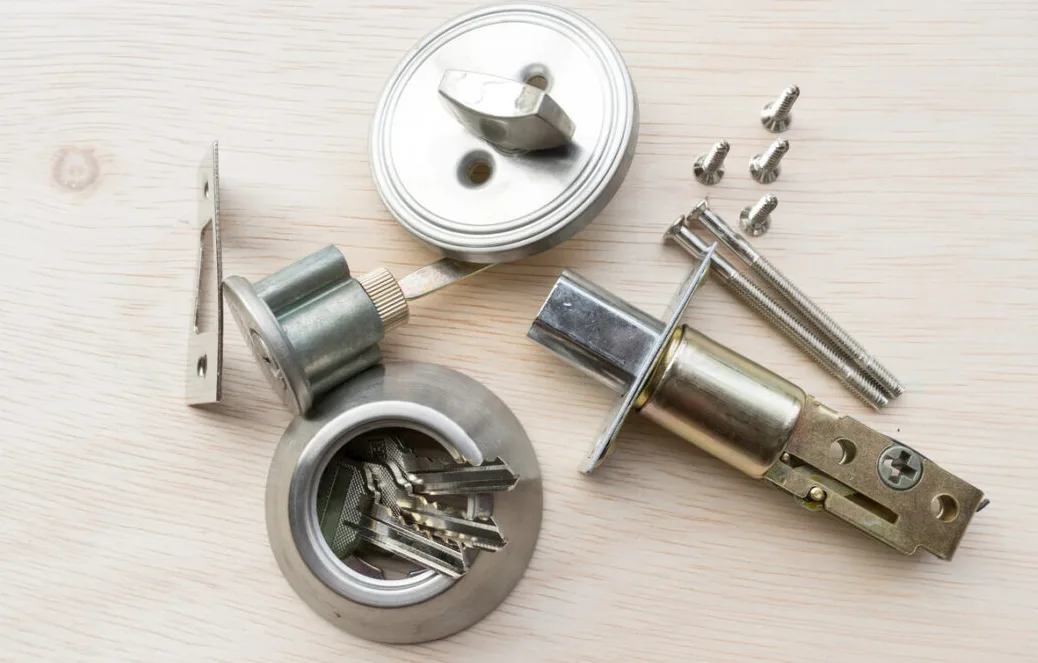
Biometric security specialty
- True authentication - proves who, not just what they have.
- Fingerprint reliability - mature technology, low false reject.
- Facial recognition - contactless, fast transactions.
- Multi-factor capability - card + biometric strongest.
- Audit with identity - logs show who actually entered.
- Anti-passback enforcement - can't share credentials.
- Liveness detection - defeats photo spoofing.
- Template protection - encrypted storage of biometric data.
Common biometric scenarios
Real biometric installation situations.
Typical calls
- Port St. Lucie data center with fingerprint + card for server room access.
- Stuart medical facility with biometric for Schedule II pharmacy storage.
- Vero Beach jeweler with fingerprint access to vault and safe room.
- Fort Pierce research lab with facial recognition for clean room entry.
- Tradition bank with biometric for vault vestibule.
- Jensen Beach corporate office with exec suite fingerprint access.
- Palm City cannabis operation with biometric for product room compliance.
- Treasure Coast hospital with biometric for controlled substance storage.
Biometric technology and when to use it
Biometric systems authenticate using physical characteristics. The most common commercial biometrics are fingerprint and facial recognition, with iris and vein pattern used in specialized high-security applications.
Fingerprint: Mature technology. Optical or capacitive sensors capture fingerprint pattern and compare to enrolled template. Modern readers achieve false accept rates of 1 in 100,000+ and false reject rates under 1% when properly tuned.
The dominant biometric for commercial access due to cost and reliability.
Facial Recognition: Contactless - user approaches door and face is captured. Modern systems use 3D depth sensing or infrared to detect liveness (preventing photo spoofing). NIST FRVT evaluations show top algorithms exceed 99.7% accuracy.
Faster transaction time than fingerprint but higher hardware cost.
Iris: Very high accuracy but requires specific user positioning. Used in ultra-high-security applications like government facilities, high-security vaults, and research labs. Higher hardware cost and slower enrollment.
Vein Pattern: Infrared imaging of blood vessels in finger or palm. Immune to fingerprint wear (common issue for manual laborers) and impossible to spoof with surface replicas. Used where fingerprint fails - construction, manufacturing, and healthcare with handwashing.
When to use biometric: Server rooms, cash rooms, pharmacy storage, research labs, executive areas, and anywhere compliance requires identity-verified access. Don't use for general office doors where the cost isn't justified.
Privacy and template storage: Modern systems store encrypted templates, not raw fingerprints or face images. Templates can't be reverse-engineered to original biometric. Systems should comply with applicable privacy laws.
See NIST FRVT evaluations for algorithm performance data.
Biometric installation process
Security assessment
Call (772) 758-1322. Evaluate which areas justify biometric investment.
Technology selection
Choose fingerprint, facial, or multi-factor based on needs.
Installation and enrollment
Mount readers, wire to controllers, enroll users.
Training and tuning
Train admin on enrollment, tune false reject rate for user base.
Biometric deployment tips
- Use biometric as second factor with card, not alone.
- Reserve biometric for high-security areas only.
- Choose fingerprint for cost-effective deployments.
- Use facial recognition where contactless matters.
- Ensure liveness detection on facial systems.
- Plan enrollment time - budget 5 minutes per user.
Related services
Other Treasure Coast Locksmith services in this cluster.
Biometric lock installation FAQs
Common questions from Treasure Coast businesses.
How much does biometric lock installation cost?
Single-door fingerprint reader: $895-$2,495 installed. Facial recognition: $1,495-$4,995 single door. Multi-factor (card + biometric): $1,995-$5,995 per lock.
Project pricing varies with door count, controller integration, and cable infrastructure. Free consultation.
Which biometric is most reliable?
Fingerprint is the most mature and cost-effective. Modern capacitive fingerprint readers achieve under 1% false reject with proper tuning. Facial recognition is faster and contactless but more expensive.
Vein pattern is most reliable where fingerprint fails.
Is biometric secure?
Properly implemented biometric is very secure, especially as second factor with card. Modern systems store encrypted templates that can't be reverse-engineered. Facial systems need liveness detection to prevent photo spoofing.
Consumer-grade biometrics are not equivalent to commercial systems.
Can photos fool facial recognition?
Older systems yes, modern commercial systems no. Liveness detection uses 3D depth sensing, infrared, or movement detection to distinguish a real face from a photo or screen. Always specify liveness detection for facial recognition installations.
What if someone has worn fingerprints?
Common issue for manual laborers, construction workers, and anyone with fingertip wear. Solutions: use capacitive sensors (more tolerant than optical), enroll multiple fingers, or consider alternative biometric like vein pattern or facial recognition.
Where should I use biometric access?
Server rooms, cash rooms, pharmacy controlled substance storage, executive suites, research labs, and anywhere compliance or asset value justifies the cost. Don't use for general office doors - it's overkill.
How long does user enrollment take?
Budget 3-5 minutes per user for fingerprint enrollment. Facial enrollment is faster, typically 1-2 minutes. New employee onboarding should include biometric enrollment as part of orientation.
What about privacy concerns?
Modern commercial systems store encrypted templates, not raw biometric data. Templates are useless if stolen - they can't be reverse-engineered back to original fingerprint or face image. Compliant systems meet applicable privacy laws.
Can biometric integrate with existing access control?
Yes. Most biometric readers output standard Wiegand or OSDP signals that integrate with commercial access panels. HID, Honeywell, Software House, and other major platforms support biometric reader integration.
Do you support card + fingerprint two-factor?
Yes. Multi-factor configuration with card reader and fingerprint reader at same door. User presents card, then fingerprint.
Both must match same identity. Most secure commercial access method.
What brands do you install?
HID biometric readers, Suprema, ZKTeco, Idemia (Morpho), and Bio-key for fingerprint. HID Signo, Alcatraz, and enterprise facial recognition systems. Brand selection depends on integration requirements and budget.