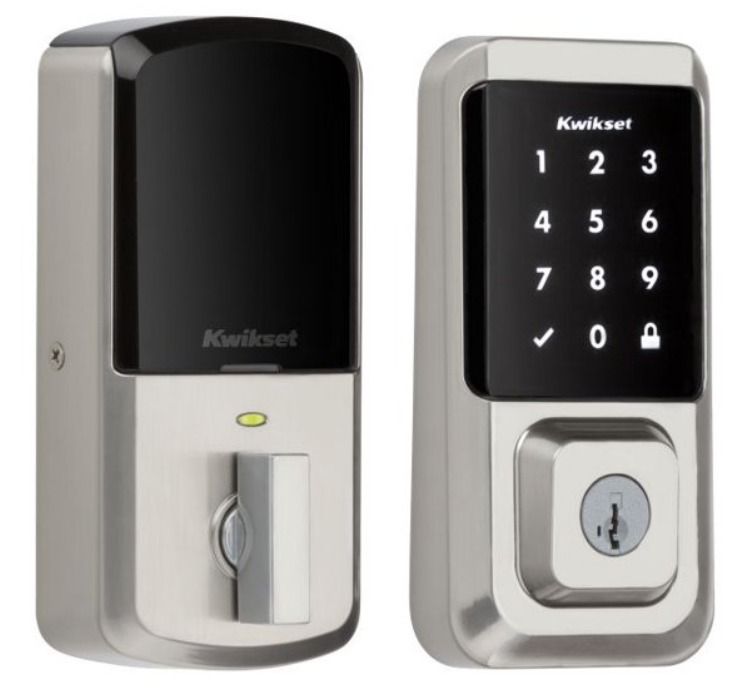
Fingerprint locks: mature technology, well-understood by users, under 1% false rejection rate (FRR) with quality readers, works in most environments. Limitations: requires physical contact (hygiene concerns), fails with wet/dirty/injured fingers, and some employees resist providing fingerprint data. Cost: $500-$1,500 per door installed.
- 20+Years on the Treasure Coast
- 5095-Star Google Reviews
- <30 minTypical Port St. Lucie Response
- $89-150Most Emergency Calls


How Biometric Access Control Works
Biometric systems authenticate identity based on physical characteristics rather than something carried (card) or known (code). The process:
- Enrollment: Each authorized user's biometric data is captured and converted into a mathematical template. The system doesn't store an actual image of your fingerprint or face - it stores a mathematical representation (template) that can be compared against live scans.
- Presentation: The user presents their biometric (finger on reader, face to camera) at the door.
- Matching: The reader captures a live scan, converts it to a template, and compares against stored templates. If the match score exceeds the threshold: access granted.
- Decision: Match found → door unlocks. No match → access denied. The entire process takes 0.5-2 seconds.
Fingerprint Recognition
Technology Types
- Optical: Uses a camera to photograph the fingerprint through a glass surface. The most common and most affordable. Works well for commercial access control. Slightly affected by wet or dirty fingers.
- Capacitive: Uses electrical capacitance to map the fingerprint's ridges and valleys. More accurate than optical, less affected by surface contamination. Common on smartphones and higher-end readers.
- Multispectral: Reads the fingerprint using multiple wavelengths of light, capturing both surface and subsurface features. Works with wet, dry, dirty, or worn fingerprints. The most reliable but most expensive technology. HID (DigitalPersona) and Lumidigm make popular multispectral readers.
Performance Metrics
- False Rejection Rate (FRR): How often the system rejects an authorized user. Quality optical readers: 1-3%. Multispectral: under 0.5%. Lower is better - high FRR frustrates employees.
- False Acceptance Rate (FAR): How often the system accepts an unauthorized person. Quality readers: under 0.001% (1 in 100,000). Adjustable via sensitivity thresholds.
- Throughput: 1-2 seconds per authentication. Fast enough for most door applications but can create queues at high-traffic entries during peak times.
Limitations
- Contact required: Employees must touch the reader. Post-2020 hygiene awareness makes some employees uncomfortable. Readers can be cleaned regularly, but the perception persists.
- Environmental factors: Very wet, very dry, or dirty fingers reduce accuracy on optical readers. Construction workers, mechanics, food service employees - occupations with hand wear or contamination - experience higher rejection rates.
- Injuries: Cuts, burns, or bandages on the enrolled finger prevent authentication. Best practice: enroll 2-3 fingers per employee as backup.
- Aging: Fingerprint ridge definition decreases with age. Elderly employees may have higher rejection rates.
Face Recognition
How Modern Face Recognition Works
Current commercial face recognition (2027) uses AI/deep learning to analyze facial geometry: distances between eyes, nose width, jawline contour, and dozens of other measurements. The system maps these measurements into a mathematical template - NOT a photograph.
- 3D mapping: Quality systems use structured light or time-of-flight sensors to create a 3D facial map, which prevents spoofing with photographs or video. This is the same technology used in Apple Face ID.
- Infrared illumination: Many systems use near-infrared lighting, which works in any ambient lighting condition (dark, bright, backlit) without affecting the visible appearance.
Performance Metrics
- False Rejection Rate: 1-3% for current commercial systems. Higher than fingerprint, but improving rapidly with AI advances. Systems that have seen 50+ images of a user during enrollment perform better than single-image enrollment.
- False Acceptance Rate: Under 0.01% for 3D-mapping systems. 2D-only systems (camera only, no depth mapping) are significantly less secure and more susceptible to spoofing.
- Throughput: 0.5-1 second per authentication. Faster than fingerprint because no contact is needed - the user walks toward the reader and is authenticated before reaching the door.
Limitations
- Masks and face coverings: Face recognition accuracy drops significantly with masks, scarves, or face shields. Most systems can be configured for partial-face matching but at reduced accuracy.
- Appearance changes: Dramatic weight changes, new facial hair (or removal), significant hairstyle changes, or aging can require re-enrollment. Minor changes (new glasses, different makeup) are usually handled by the AI model.
- Privacy concerns: Face recognition generates more employee resistance than fingerprint. Some jurisdictions have biometric privacy laws (Illinois BIPA, Texas CUBI) that may restrict employer use. Florida does not currently have a comprehensive biometric privacy law, but federal sector-specific regulations (HIPAA) may apply.
- Cost: Face recognition terminals cost 2-3x more than fingerprint readers. The AI processing requirements demand more capable (expensive) hardware.
Comparison: Which to Choose
| Factor | Fingerprint | Face Recognition |
|---|---|---|
| Accuracy (FRR) | Under 1% (multispectral) | 1-3% |
| Contactless? | No | Yes |
| Speed | 1-2 seconds | 0.5-1 second |
| Works with dirty hands? | Reduced accuracy | Yes |
| Works with masks? | N/A | Reduced accuracy |
| Employee acceptance | Generally good | Mixed (privacy concerns) |
| Cost per door | $500-$1,500 | $1,000-$3,000 |
| Best for | Most commercial doors | High-traffic, contactless needs |
HIPAA and Compliance Considerations
For medical offices and healthcare facilities on the Treasure Coast: HIPAA doesn't specifically mandate biometric access, but it requires "reasonable and appropriate" physical safeguards for areas containing Protected Health Information (PHI).
Biometric access to server rooms, medical records storage, and pharmacy areas demonstrates a higher standard of physical security than key or card access - biometrics can't be shared, loaned, or lost. For HIPAA compliance documentation, biometric access logs provide non-repudiable proof of who accessed PHI areas and when.
If implementing biometric access in a healthcare setting, ensure your biometric data handling policy addresses HIPAA's security rule requirements for electronic data. The biometric templates themselves are considered electronic PHI if they can be linked to individual identities.
Practical Recommendations for Treasure Coast Businesses
Small Office (5-20 Employees)
Fingerprint reader on the primary entry door. Card or code access on secondary doors. Budget: $500-$1,500 per biometric door.
This covers most office, professional service, and small business environments.
Warehouse / Industrial
Fingerprint readers with high-tolerance settings (workers with dirty or worn hands). Consider multispectral readers for best performance. Backup: card or code for environments where fingerprint consistently fails.
Medical / Healthcare
Biometric (fingerprint or face) on PHI access areas. Multi-factor (biometric + PIN) on pharmacy and controlled substance storage. Audit trail capability mandatory for HIPAA compliance documentation.
High-Traffic Lobby / Coworking
Face recognition for speed and contactless operation. The higher per-door cost is justified by throughput needs and the user experience advantage of hands-free access.
For biometric access control installation on the Treasure Coast, call (772) 758-1322. We install fingerprint and face recognition systems for commercial, healthcare, and industrial applications.
Related Services