Overall winner 2026: Schlage Encode Plus ($300 - $340) - built-in Wi-Fi, Apple HomeKit Home Key, ANSI Grade 1 build. Best keypad: Yale Assure Lock 2. Best retrofit: August Wi-Fi. Budget: Kwikset Halo. Avoid: no-name Amazon brands and fingerprint-only locks.
- 20+Years on the Treasure Coast
- 5095-Star Google Reviews
- <30 minTypical Port St. Lucie Response
- $89-150Most Emergency Calls
What Makes a Smart Lock Actually Good
Every brand claims "bank-grade encryption" and "military-grade steel." After twenty years of installations and service calls, here's what separates locks I'll put on my own door from the ones I rip off someone else's every month.
- ANSI/BHMA Grade 1 or 2The bolt, strike, and housing must pass physical tamper tests. Grade 3 locks (most cheap smart locks) fail on doors that get used daily.
- Mechanical key backupElectronics will fail eventually. A physical key override means a dead battery isn't a lockout.
- Real encryption (AES-128+)Not just a marketing bullet. Major brands publish their security audits; no-names don't.
- Direct Wi-Fi, no bridgeBridges add a failure point and a second device to manage. Built-in Wi-Fi is cleaner.
- Platform supportWorks with Apple HomeKit, Google Home, Amazon Alexa - ideally Matter too. Lock-in to one ecosystem ages poorly.
- Active manufacturer supportFirmware updates, a real phone support line, and honest warranty claims. This matters more than the spec sheet.
One more thing - not a feature, but a principle: the best smart lock for you is the one that matches your door, your phone, and the way your household actually lives. According to 2026 smart home adoption data, 34% of homeowners now regret their first lock choice due to mismatch with actual usage patterns. A $340 Yale Assure Lock 2 is overkill for a back-porch door in Hutchinson Island that gets opened twice a year. A $150 Kwikset on a 20-times-a-day front door will wear out in three years.
Tier 1: Schlage Encode Plus (Best Overall)
Schlage Encode Plus
The overall winner for 2026. Built on the proven B60/BE series mechanical deadbolt that's been locksmith-grade reliable for decades, then upgraded with native Wi-Fi (no hub), Apple Home Key support, and full HomeKit/Google/Alexa integration.
What separates the Encode Plus from the rest isn't one feature - it's that Schlage didn't cut corners anywhere. The bolt throw, strike plate, cylinder hardening, and mechanical key override are all ANSI Grade 1. The electronics are competent and the app is stable.
Apple Home Key is the feature that makes this lock feel like the future: walk up, tap your iPhone or Apple Watch to the keypad, door unlocks. No app open, no Face ID, no Bluetooth pairing dance. Just works.
Pros: Grade 1 build, native Wi-Fi, HomeKit + Home Key, Matter support, 3-year warranty, PVD finishes available for coastal homes.
Cons: Priciest of the mainstream locks. Bulky exterior escutcheon that doesn't fit some decorative door hardware setups. Battery life is average at 4 - 6 months with Wi-Fi on.
Who should buy it: Anyone who wants one lock, installed once, that will last and handle whatever ecosystem you're in (or might switch to).
Tier 2: Yale Assure Lock 2 (Best Keypad)
Yale Assure Lock 2
Yale's flagship residential smart lock and the one most likely to impress guests. The touchscreen version (Assure Lock 2 Touchscreen) is the sleekest residential smart lock on the market - glass capacitive touch surface that wakes when you approach.
Available in three versions: with a keypad (backup physical key), without a keypad (key-free, touchscreen only), and the new Matter-enabled version that works across Apple, Google, and Amazon without picking a side.
Build quality is Grade 2 - a step below Schlage Encode Plus on the mechanical side but still robust for residential use. Yale's app is cleaner than Schlage's but the Wi-Fi module is sold separately ($70 - $90 extra if you want remote control).

Pros: Beautiful design, excellent keypad responsiveness, clean app, multiple form factors (touchscreen/keypad/key-free), Matter support on newer models.
Cons: Wi-Fi bridge often costs extra. Touchscreen can be finicky with wet fingers (relevant in rainy Florida). Not as bulletproof mechanically as Schlage.
Who should buy it: Design-forward homeowners, Alexa households, rental property owners who want nothing-but-a-keypad on the exterior.
Tier 3: August Wi-Fi Smart Lock (Best Retrofit)
August Wi-Fi Smart Lock (4th gen)
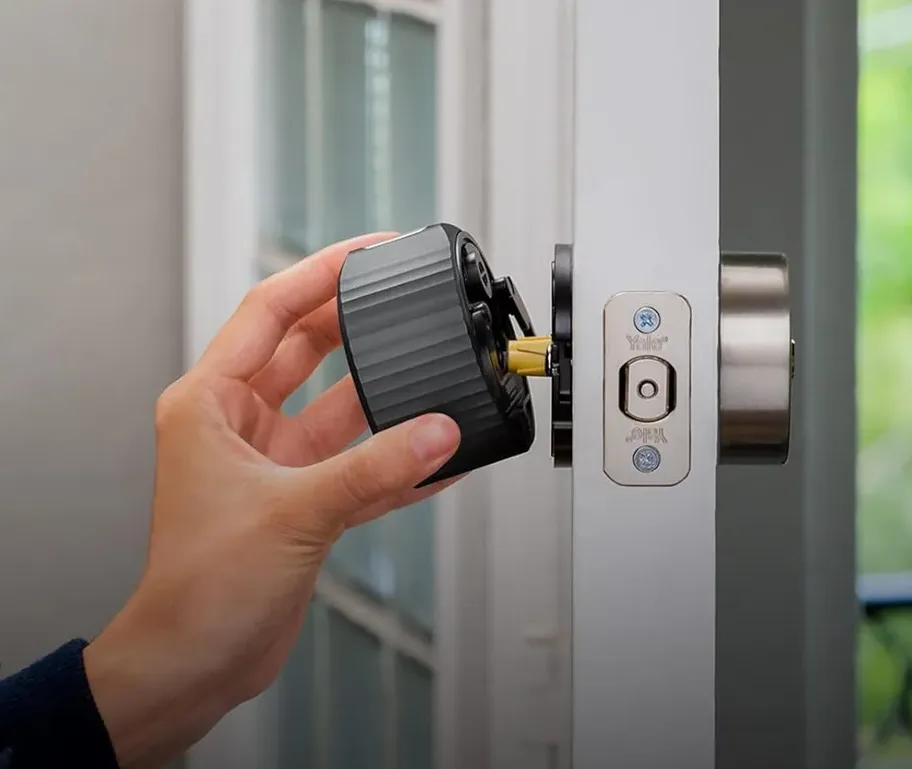
Unique category. August doesn't replace your deadbolt - it attaches to the inside of it. Your exterior stays exactly the same (same keyhole, same key). The smart motor sits on the interior, turning the thumbturn.
This is the right pick when: you have a beautiful antique or architectural deadbolt you don't want to replace, you rent and can't change the exterior, or the HOA forbids exterior keypads.
Fourth-gen improvements: native Wi-Fi (no bridge), auto-unlock when approaching (reliable now, not in early versions), and Matter support. HomeKit has been solid since v3.
Pros: Invisible from the street, no drilling/hardware change, works with most existing Bluetooth-capable phones, great for renters.
Cons: No exterior keypad option (you need your phone or the original key). Large interior escutcheon some find ugly. Requires a compatible deadbolt - single-cylinder with standard thumbturn only.
Who should buy it: Renters, HOA-restricted communities, heritage/architectural home owners, anyone keeping an existing great deadbolt but wanting smart features.
Tier 4: Kwikset Halo (Budget Pick)
Kwikset Halo Touch / Halo Wi-Fi
The budget option we still stand behind. Grade 2 rated, built-in Wi-Fi (no hub), and Kwikset's SmartKey re-pinnable cylinder - meaning you can re-key it yourself in 60 seconds without tools if you ever need to.
Kwikset is Schlage's value-priced competitor; the two brands are actually owned by different parent companies (Assa Abloy vs Spectrum) but occupy the same residential market slots. Kwikset cuts some corners on weight and finish, but the Halo's electronics and connectivity are legitimate.
Two variants: Halo Touch uses fingerprint authentication (works well enough, but we generally steer customers away from fingerprint-only). Halo Wi-Fi uses a traditional keypad and is the one we recommend.
Pros: Half the price of Schlage Encode, built-in Wi-Fi, Works With Google Home/Alexa, SmartKey lets you rekey without tools, lightweight (easier install on hollow-core doors).
Cons: Grade 2 build feels lighter than Schlage, no HomeKit support, some users report flaky Wi-Fi connection. Chrome finishes corrode fast on coastal homes - specify PVD or matte black if you're within 3 blocks of the ocean.
Who should buy it: Rental owners furnishing multiple units, landlords, second/vacation homes, anyone on a budget who still wants a real smart lock.
Which to Avoid
Locks we routinely replace or refuse to install
- No-name Amazon fingerprint locks. Brands that show up and disappear in six months. When support goes dark, your lock is e-waste.
- "Smart padlock" hybrids. Try to be both a padlock and a smart lock, succeed at neither. Fingerprint sensors fail in humidity.
- Ultraloq U-Bolt Pro Z. Real brand, but the fingerprint-only versions have reliability issues we see constantly. The keypad version is fine.
- Wyze / Geeni fingerprint locks. Plastic internals. Stripped gears within 18 - 24 months of normal use.
- First-gen Level Lock (original, invisible). Elegant concept, mechanical reliability issues. Newer Level Lock+ is improved.
- Any smart lock sold under three brand names for three prices. If it's on Alibaba too, the internals are consumer-grade.
A good working rule: if the brand doesn't have a US phone number you can call and reach a human, don't put their lock on your front door.
Installation - DIY vs Professional
Roughly 70% of homeowners can install a smart lock themselves on a well-prepped door. The other 30% - that's who calls us. Here's how to know which camp you're in.
DIY works if:
- You have a standard 2 1/8" borehole with a 2 3/8" or 2 3/4" backset (check your existing deadbolt)
- The door is reasonably square in the frame - the existing deadbolt throws smoothly without having to lift the door
- The strike plate is secure and aligned with the bolt hole
- You own a Phillips screwdriver and 30 minutes
Call a locksmith if: the door sags, the existing deadbolt is stiff or misaligned, the hole is non-standard, the door is metal/fiberglass with limited access, or you're installing on a commercial or multi-family entry.
Our professional smart lock install is $125 - $225 in most Treasure Coast homes. Includes strike realignment, long screws into the king stud for security, app setup, and programming your first 4 - 6 user codes. If anything goes wrong in the first year, we come back free.
Treasure Coast Coastal Considerations
If you live within three blocks of the Atlantic - Hutchinson Island, Vero Beach beachside, Stuart waterfront, Fort Pierce coastal, Sebastian near the Inlet - salt air changes the smart lock equation.
Standard chrome-plated smart locks corrode in 12 - 18 months. The finish bubbles, the keypad degrades, the electronics sometimes start misbehaving from salt buildup around the battery door. We replace these constantly.
Coastal-ready specs: Schlage Encode Plus in Matte Black (PVD) or Satin Nickel Life finish. Yale Assure Lock 2 in Matte Black. Avoid polished chrome and brass-finished variants for oceanfront properties.
Maintenance: monthly fresh water rinse of the keypad and escutcheon (30 seconds per lock). Keeps the electronics clean and prevents salt from migrating to the circuit board under the battery compartment.